Multi-Factor / DOE Plots
Multi-factor EDA analyses designed experiments (DOE) where multiple
factors are varied simultaneously. Pass named factor arrays via the
factors dict to EDAData.
The plots answer: which factors drive location or spread, and what does the response surface look like?
Reference: NIST Handbook Chapter 5
%matplotlib inline
import numpy as np
import matplotlib.pyplot as plt
from drippy import EDAData
from drippy import (
    doe_scatter_plot,
    doe_mean_plot,
    doe_sd_plot,
    contour_plot,
)

rng = np.random.default_rng(42)

# 2-factor full-factorial DOE — 16 runs
# Factor A: temperature (+1 = high, −1 = low)
# Factor B: pressure (+1 = high, −1 = low)
# Response: process yield
A = np.tile([-1, 1], 8)
B = np.repeat([-1, 1], 8)
y = 2.0 * A + 1.5 * B + 0.5 * A * B + rng.normal(scale=0.3, size=16)
data = EDAData(y=y, factors={"Temperature": A, "Pressure": B})
DOE Scatter Plot
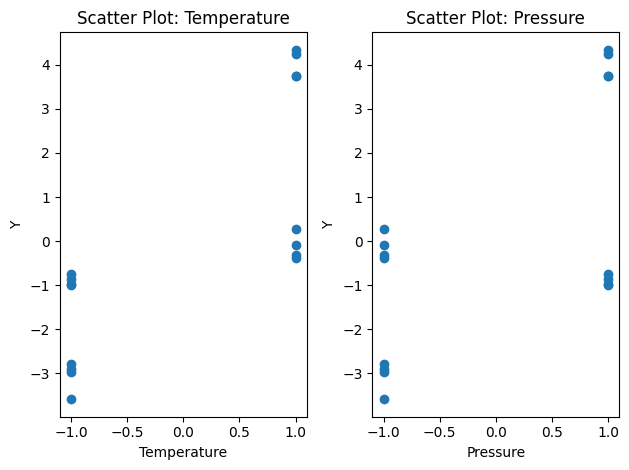
One subplot per factor. Scatters y against each factor’s coded
level to reveal the raw relationship before any modelling.
fig, axes = doe_scatter_plot(data)
plt.show()
DOE Mean Plot
For each factor, plots the mean response at each level and draws the grand mean as a reference. Steep slopes signal large main effects.
fig, axes = doe_mean_plot(data)
plt.show()
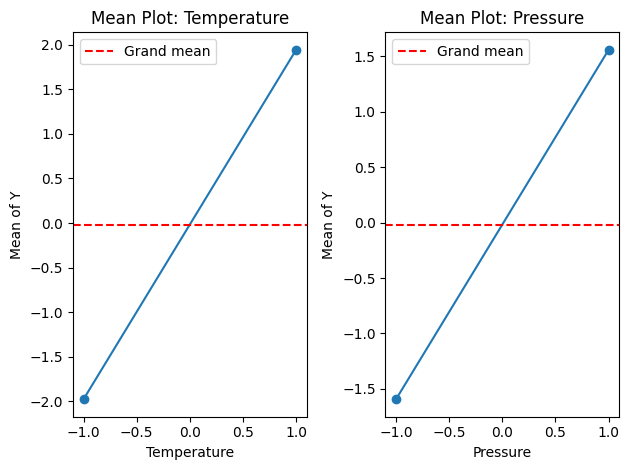
Temperature has a larger slope than Pressure, indicating a stronger effect on yield.
DOE SD Plot
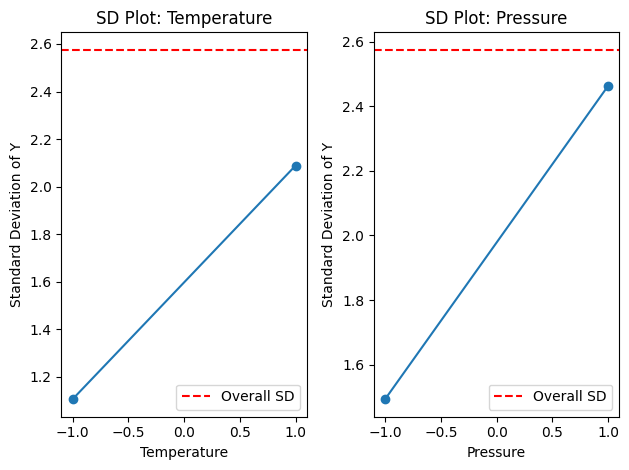
Like the mean plot but for within-level standard deviations. Detects factors that affect process variability, not just location.
fig, axes = doe_sd_plot(data)
plt.show()
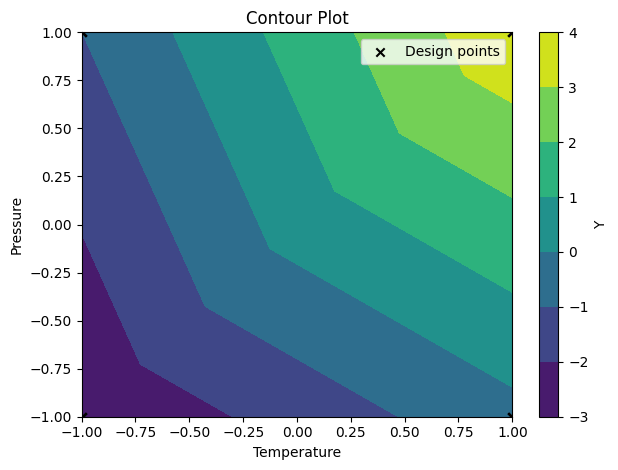
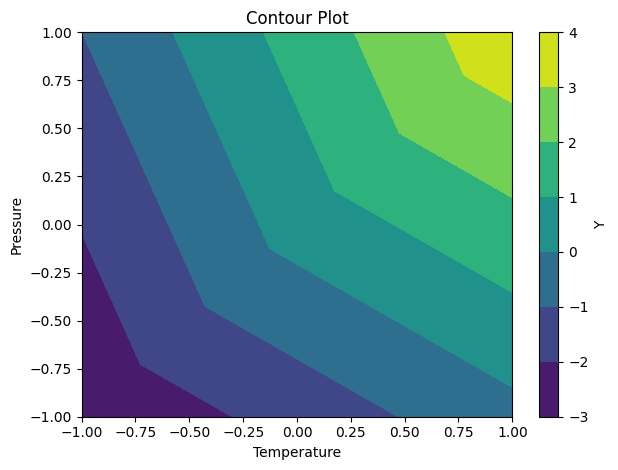
Contour Plot (NIST 1.3.3.10)
Interpolates a contour surface over the 2-factor design space. Requires exactly two factors. Optimal conditions appear as peaks or ridges in the surface.
fig, ax = contour_plot(data)
plt.show()
Overlay the actual design points:
fig, ax = contour_plot(data, doe=True)
plt.show()